Habitat Flow 1.0: from card to edit at the Freedom Games

I filmed at the Freedom Games for three days. Short interviews with speakers, three cameras, and reels delivered to the client the same day. I offloaded the footage with Habitat Flow.
At that pace, the step between the card and the drive takes up the most headspace. Has everything copied? Which folder belongs to which day? I need those answers before the next recording.
One event, one project
The whole event lives in a single project. Each camera has its own folder, and flow gets the shoot day from the recording date. Not from the date I put the card into the reader. A card holding footage from two days is split into the correct folders.
Alongside the camera footage are folders for sound, graphics and editing. The structure stays the same throughout the event. When I sit down to edit a reel, I start with the folder for that day and camera. I do not reorganise the entire offload.
Flow reads the camera model from the files on the card. Another camera joins the same project, and recordings from the same day stay together.


Verification comes after copying
After copying, flow reads every file from the drive again and compares it with the original on the card. Only then does it show “verified”. Reaching the end of the copy progress bar does not yet mean the footage has been checked.
An ASC MHL report lists the files and their checksums for each card. The copy can also be checked later, outside the current offload session.

A notification arrives on my phone, so I can go back to the camera without watching the progress bar. On the iPhone, I can also see the project and the card being offloaded.
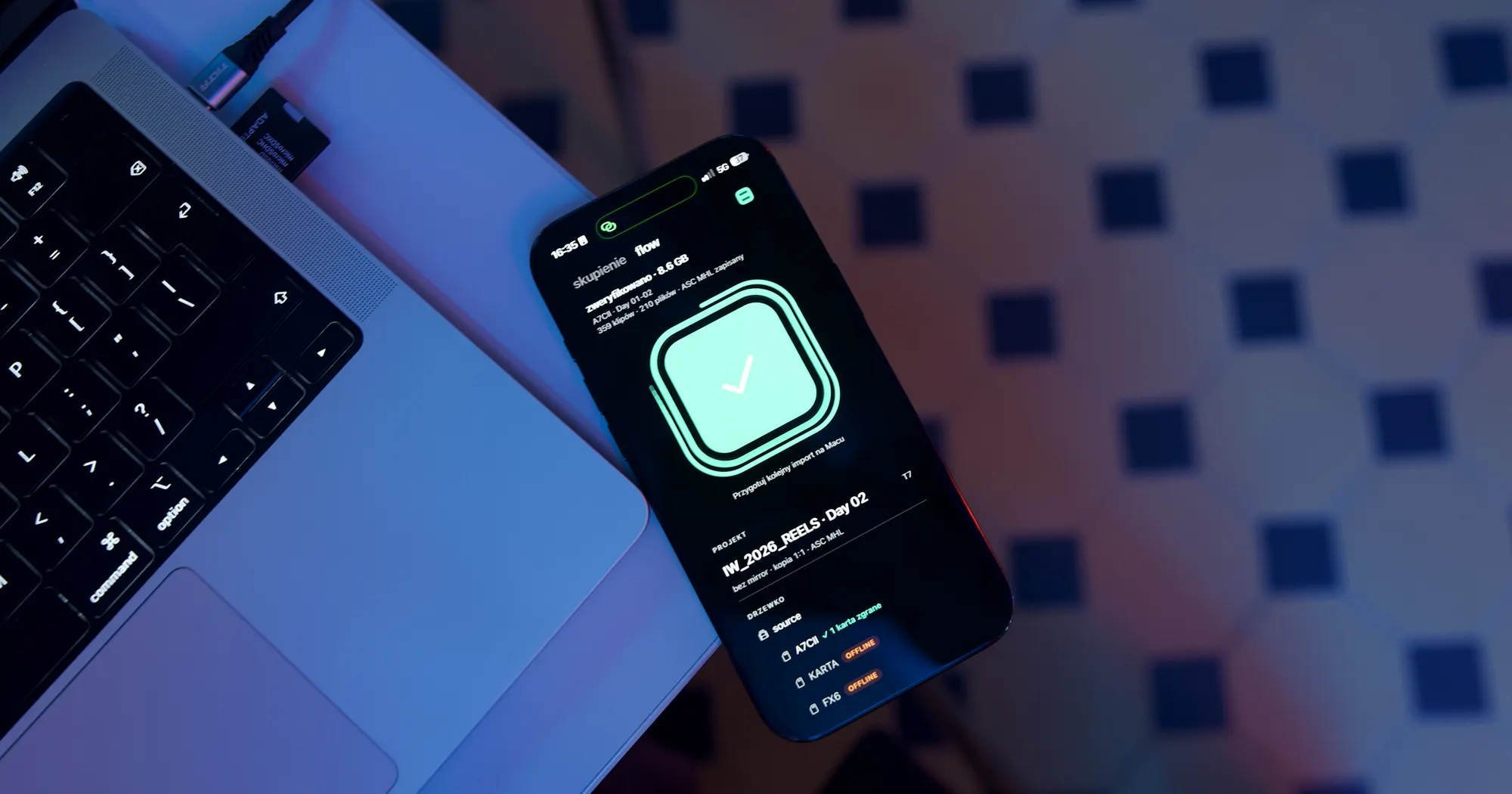
Flow never deletes anything from the card. I decide when to format it, once I see the green mark. It confirms that the copy matches the source; it does not automatically erase the card.
I wrote up the full Freedom Games workflow, with photos from the shoot and the offload process, in a separate note.